
Last Updated on December 18, 2025 by teamobn
Are you a Dremel fan? Once you’ve used one, it’s hard not to be. With the Dremel 220‑01 Rotary Tool Workstation, your regular Dremel rotary tool can do even more.
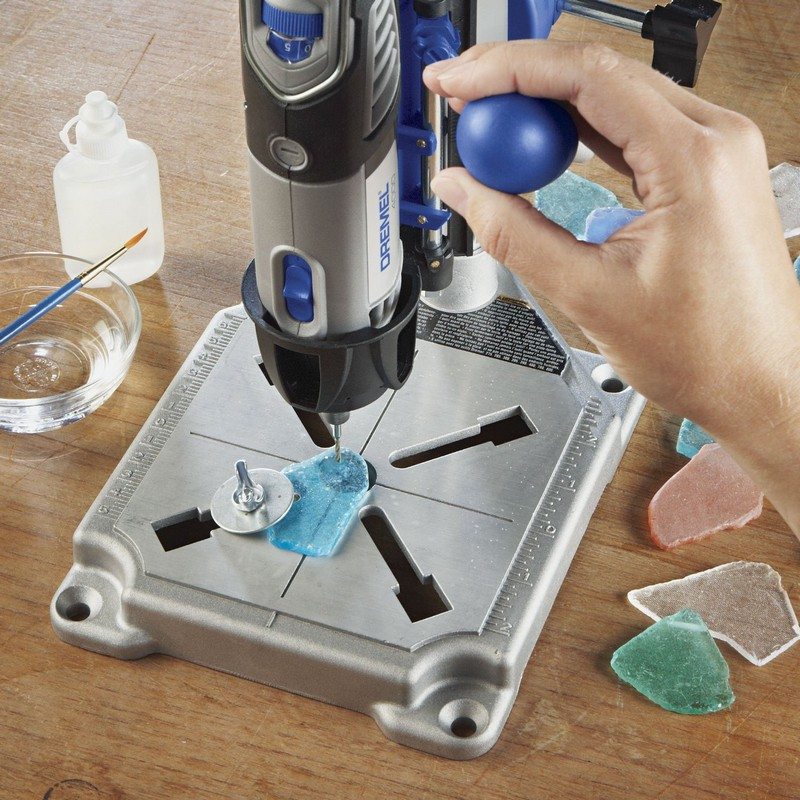
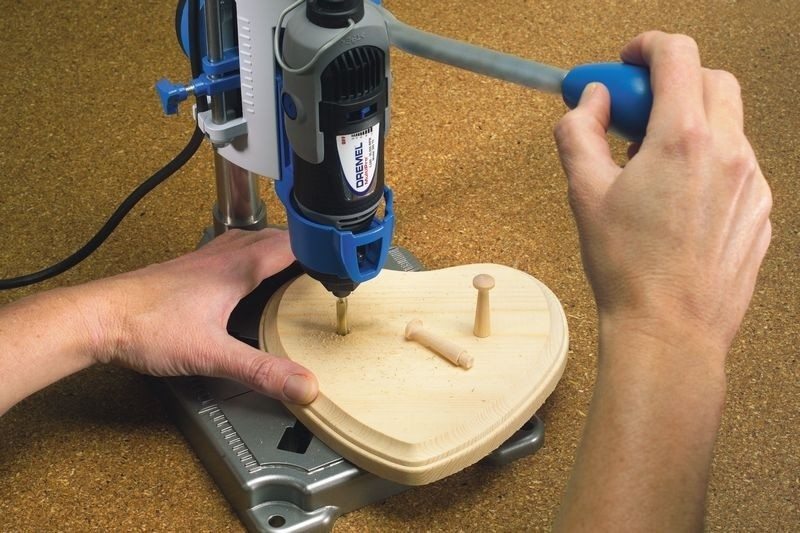
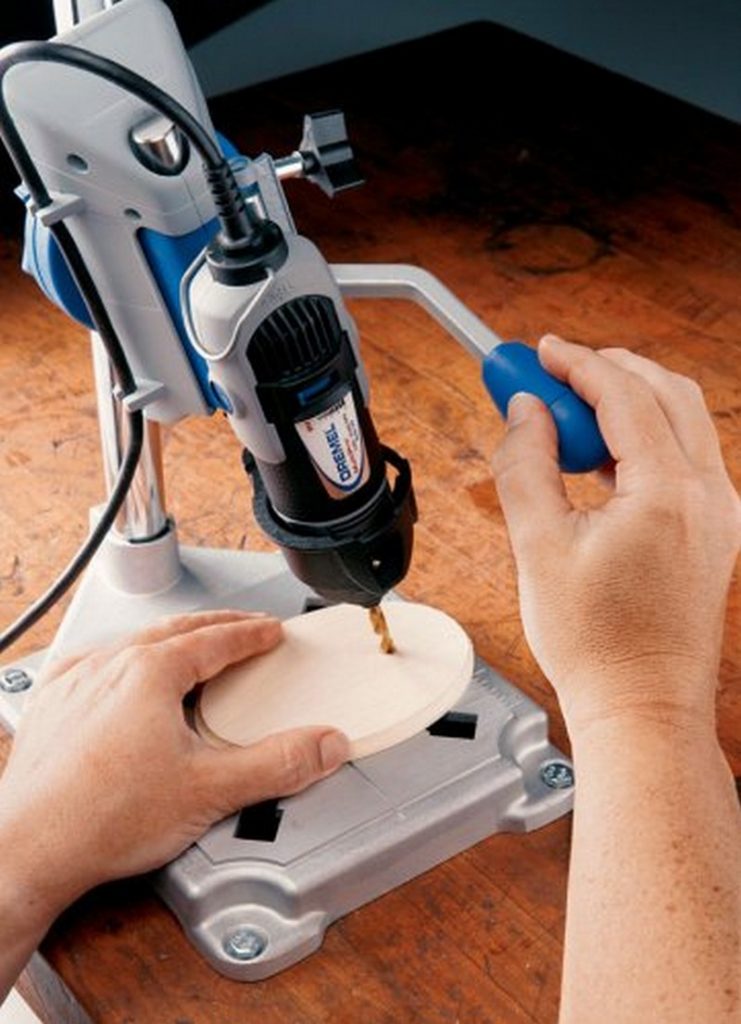
This workstation is a stand that turns a compatible Dremel rotary tool into a small tabletop drill press and tool holder. It’s designed for light, precise drilling in small parts made from wood, plastic, circuit boards, and soft metals. It’s ideal for hobbyists and DIYers who want accuracy without buying a full-size drill press.
In this guide, we’ll explain:
- What the Dremel Workstation is
- What it’s best used for
- Its limitations and safety tips
- Who it’s right for
- Common questions and answers

What Is the Dremel Rotary Tool Workstation?
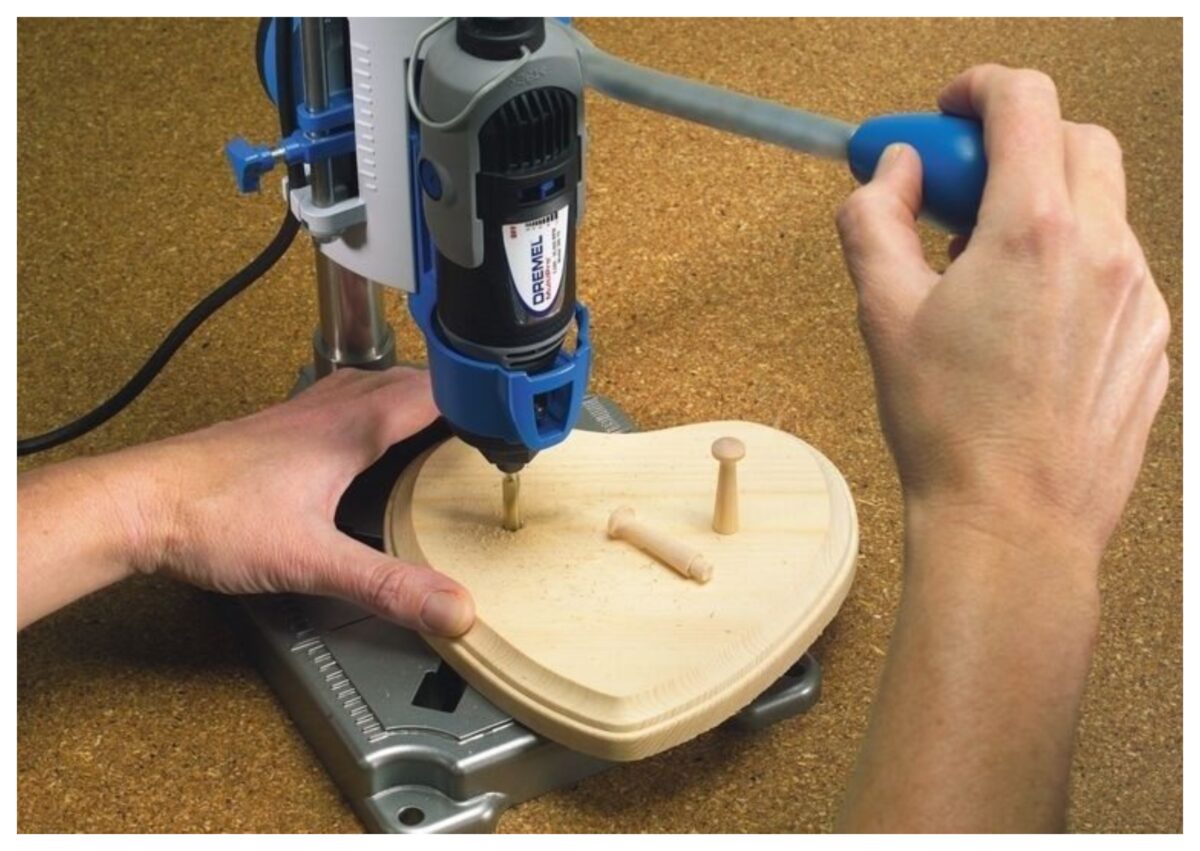
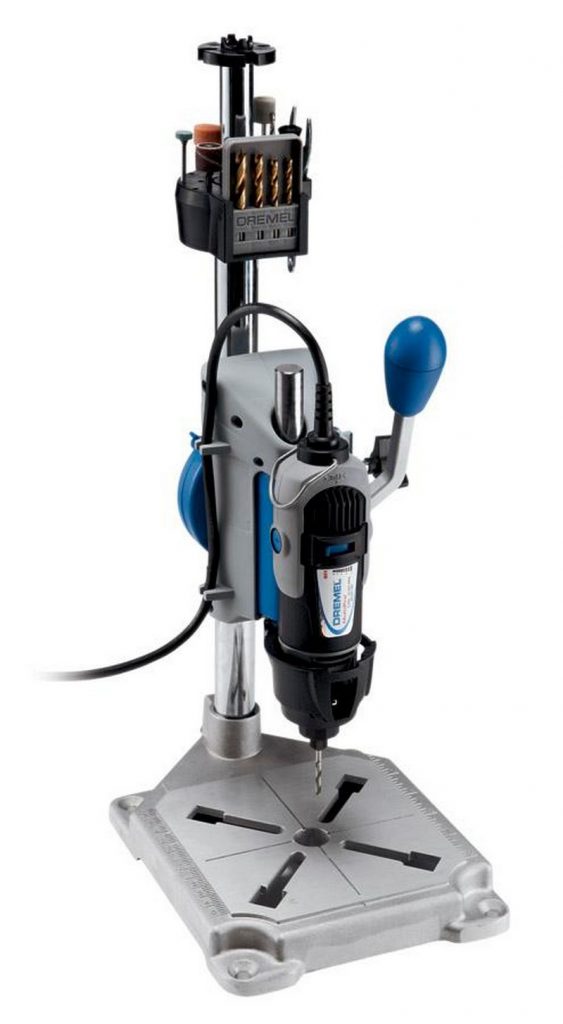
The Dremel 220‑01 Rotary Tool Workstation is a vertical stand that holds your Dremel rotary tool and allows you to lower it like a drill press. Instead of holding the tool in your hand, you mount it in the stand. That makes it easier to drill straight, repeatable holes, and to keep your work steady.
Key points:
- Converts a Dremel rotary tool into a tabletop drill press
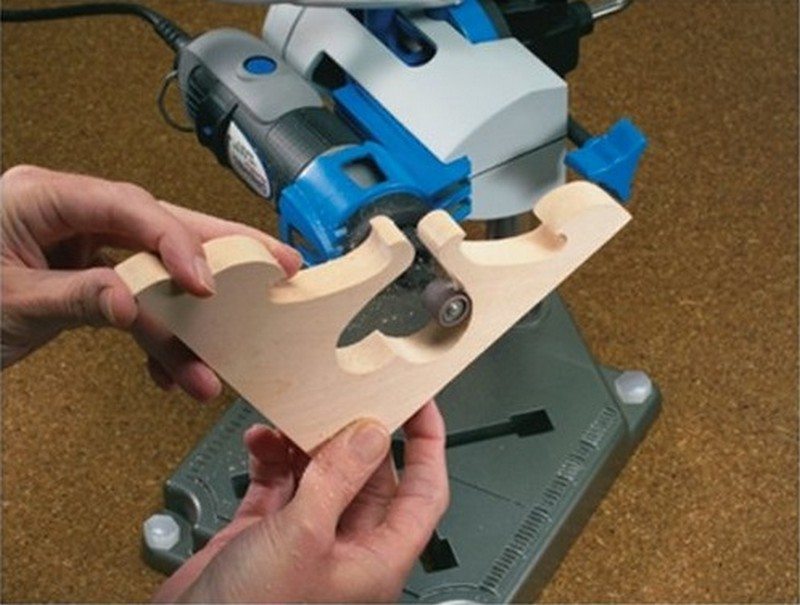
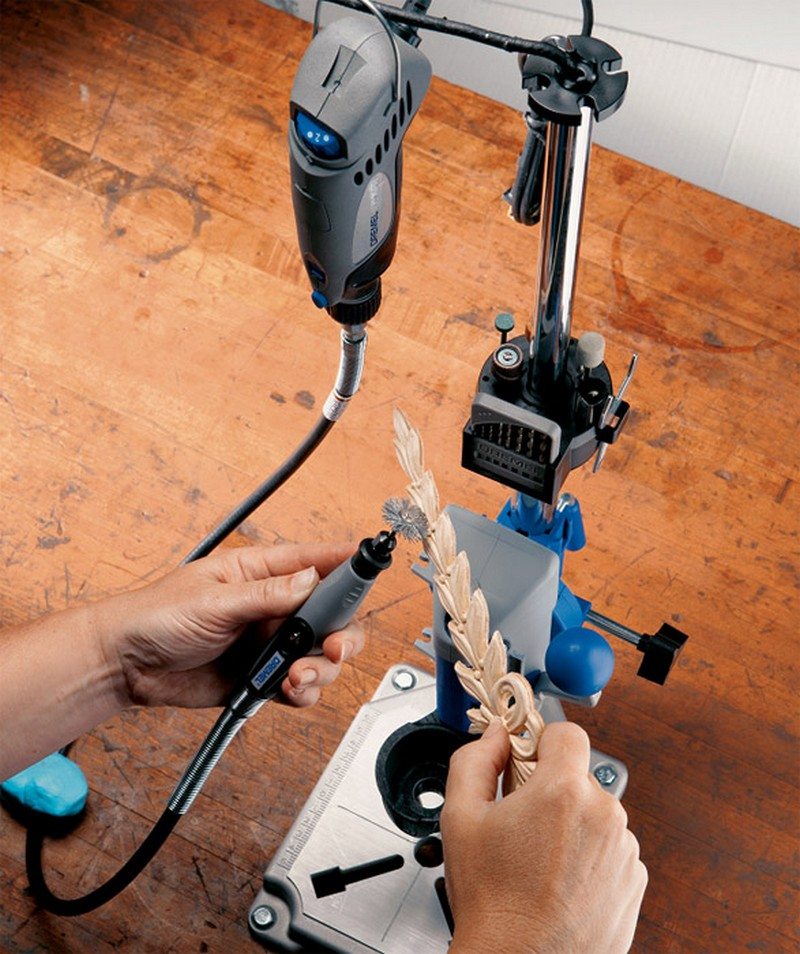
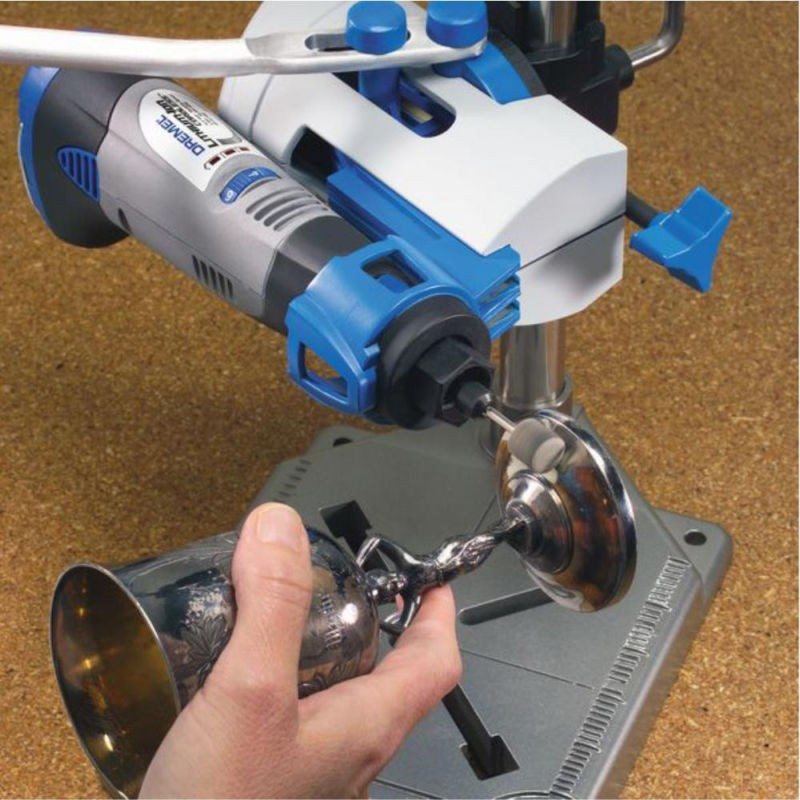
- Works as a tool holder and a flex-shaft holder as well
- Designed for precision work, not heavy-duty drilling
This makes it a smart addition to a small workshop, craft room, or maker space where space and budget are limited.
Key Features and Specifications
Here are the main features that matter in real use:
- Model: Dremel 220‑01 Rotary Tool Workstation
- Function: Drill press stand, tool holder, and flex-shaft holder
- Angle range:
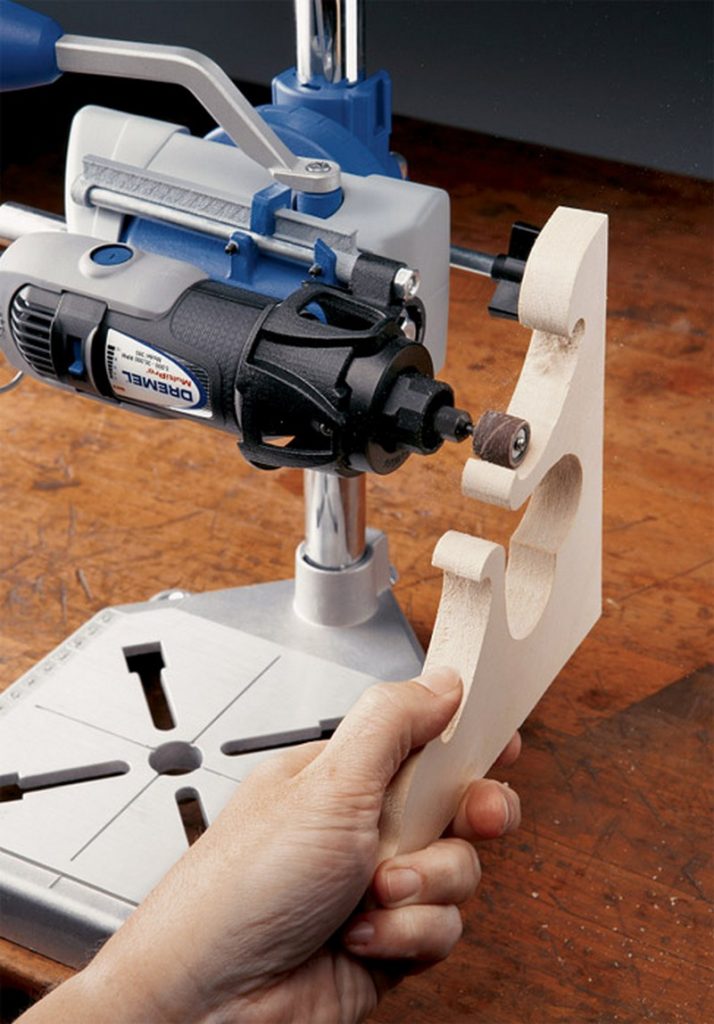
- Adjusts from 90° (vertical) down to 0° (horizontal)
- Moves in 15° increments, so you can drill at different angles
- Depth control:
- Base has inch and metric markings
- Built-in depth stop lets you set how deep the bit goes for consistent holes
- Base and mounting:
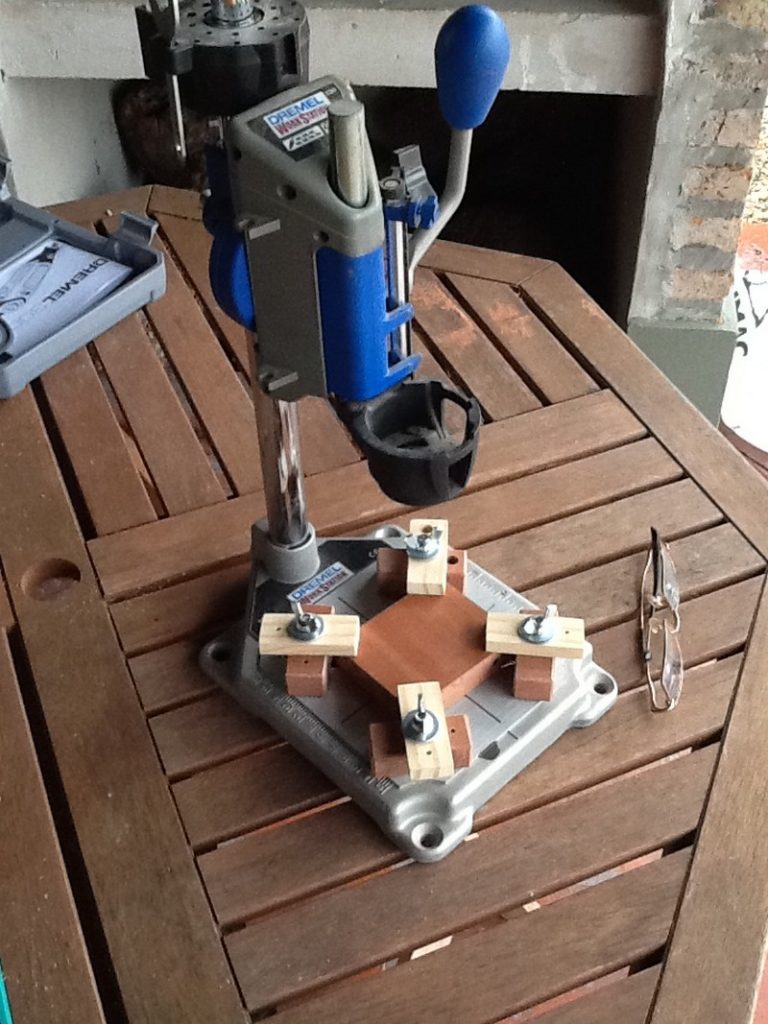
- Solid base with markings and slots
- Can be bolted onto a workbench for extra stability
- Compatible tools:
- Fits many popular Dremel corded and cordless rotary tools
- Always check current compatibility for your exact model
The result is a small, flexible drill press setup that’s easy to move and store.
“As the manual says, you need to adjust the tool so the bit is very close to the workpiece, then slowly lower the bit into it.”
What Can You Use the Dremel Workstation For?
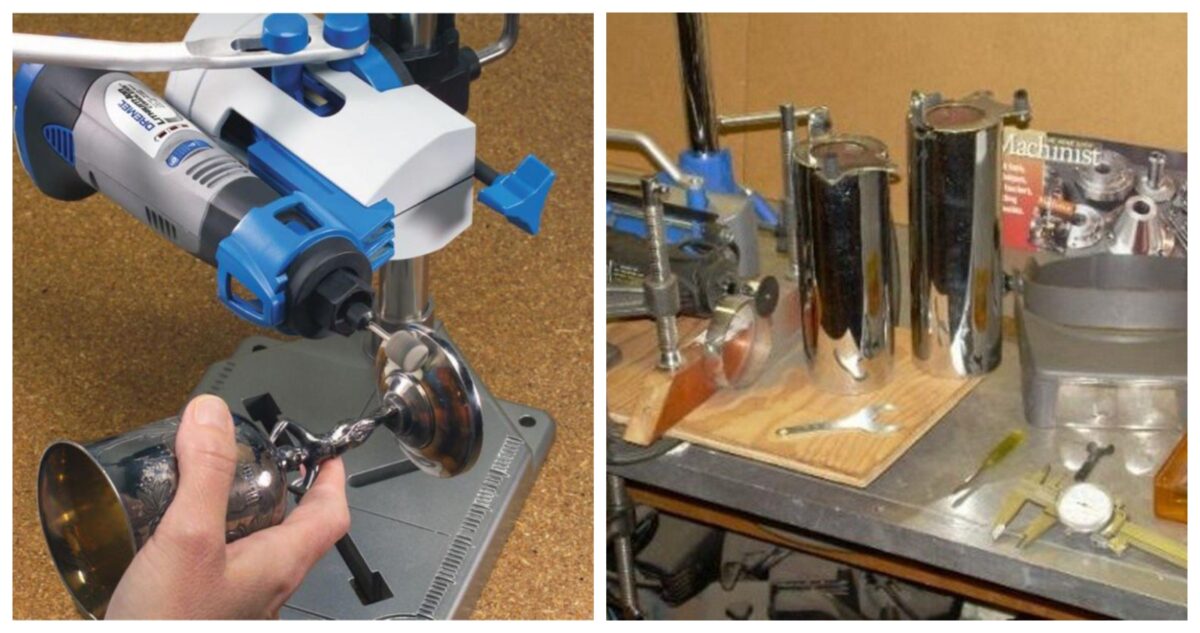
The Dremel rotary tool is already very versatile. Paired with the workstation, it becomes much more accurate for delicate work.
Typical uses include:
- Woodworking and crafts
- Drilling small, straight holes in wooden parts
- Making pilot holes for screws in trim and small projects
- Model making and miniatures
- Precise holes in model parts, plastic kits, and small wooden pieces
- Jewelry making
- Drilling into beads, pendants, and soft metals where accuracy matters
- Electronics and PCBs
- Drilling tiny, accurate holes in printed circuit boards
- Light metalwork
- Drilling in thin aluminium and brass with small bits and light pressure
Because the tool is held in the stand, you can focus on positioning your work and letting the bit do the cutting.
Click on any image to start the lightbox display. Use your Esc key to close the lightbox. You can also view the images as a slideshow if you prefer 
If you liked this, you’ll also like these other tool reviews…
Can a Dremel Workstation Replace a Full-Size Drill Press?
Not completely. The Dremel Workstation is a compact alternative for light work, not a full replacement for a heavy-duty drill press.
It’s a great option if:
- You work mainly with small parts
- You mostly drill in wood, plastic, PCBs, and thin soft metals
- You don’t have room for a big drill press
However, for:
- Large diameter holes
- Thick steel or other very hard materials
- Deep holes that require lots of pressure
…a full-size drill press with more power and rigidity is safer and more effective.
Limitations of the Dremel Workstation
It’s important to understand what this setup can and cannot do.
High Speed, Low Torque
Dremel rotary tools run at very high speeds, but they have low torque compared to larger drills. That means:
- You must use light pressure
- You should stick to small drill bits
- Forcing the tool can stall the motor or break bits
Best for Light Materials
This accessory is best used with:
- Wood and plywood
- Plastics and acrylic
- Thin aluminium or brass
- Printed circuit boards
It is not recommended for:
- Thick or hardened steel
- Tasks that require heavy pressure
- Large hole saws or big auger bits
Because the Dremel and stand are relatively small, they are built for finesse, not brute force.
How to Set Up and Use the Dremel Workstation Safely
The manual gives good advice, and it’s worth repeating and expanding:
“As the manual says, you need to adjust the tool so the bit is very close to the workpiece, then slowly lower the bit into it.”
Here’s a simple step-by-step guide:
- Mount the workstation
- Place the stand on a sturdy, level workbench.
- For best accuracy, bolt it down using the holes in the base so it can’t shift.
- Install your Dremel tool
- Slide the rotary tool into the holder on the stand.
- Tighten the clamp so the tool is secure and cannot twist.
- Attach the right bit
- Choose a drill bit that matches your material and hole size.
- Insert it properly into the Dremel collet and tighten it.
- Adjust the height
- Move the tool up or down so the bit is just above the workpiece.
- This reduces flex and gives you better control.
- Set the angle
- Use the angle adjustment on the column to choose vertical or an angle.
- You can set it in 15° increments all the way to horizontal.
- Use the depth stop
- Set the depth stop using the inch or millimetre markings on the base.
- This helps you drill to the same depth every time.
- Drill with light pressure
- Turn on the Dremel and let it reach full speed.
- Slowly pull the handle down to lower the bit into the material.
- Let the bit do the work. If it starts to smoke, squeal, or struggle, back off.
- Follow basic safety rules
- Wear eye protection and, if needed, hearing protection.
- Keep fingers clear of the bit.
- Clamp your workpiece instead of holding it by hand whenever possible.
Used correctly, the workstation makes delicate drilling safer and more accurate than hand‑held drilling.
Who Is the Dremel Workstation Best For?
This accessory is a good fit if you are:
- A hobbyist or maker doing small woodworking or plastic projects
- A model builder working with tiny parts
- A jewelry maker who needs precise holes in beads and pendants
- An electronics enthusiast drilling PCBs at home
- A DIYer in a small space who can’t fit or justify a full drill press
If you mainly build large furniture, drill thick steel, or need heavy-duty performance, you’ll still want a more powerful drill press. But for small, detailed tasks, the Dremel Workstation can be exactly what you need.
Pros and Cons of the Dremel 220‑01 Workstation at a Glance
| Pros | Cons |
|---|---|
| Affordable way to get drill-press-style accuracy | Not powerful enough for heavy-duty metal drilling |
| Very useful for small, detailed work | Works best only with small bits and light materials |
| Compact and easy to fit into a small workshop | Needs to be bolted down for best accuracy |
| Allows for drilling at angles up to horizontal | Some flex if you push too hard, compared to a full-size drill press |
| Doubles as a tool holder and flex-shaft holder |
Our Experience Testing the Dremel Workstation
In our workshop, the Dremel rotary tool workstation has proven to be very useful for crafts, hobbies, and other precision tasks.
We’ve used it to:
- Drill small pilot holes in thin wood and plywood
- Drill holes in plastic parts and acrylic for small projects
- Make precise holes in printed circuit boards
- Drill into thin aluminium for brackets and light hardware
In all these light-duty tasks, the workstation made it much easier to keep holes straight and consistent than using a hand-held Dremel alone.
We did notice that if we tried to drill larger holes or pushed too hard, the setup would flex a bit, and the tool would struggle. That confirmed that it’s best treated as a precision tool for light work, not as a replacement for a heavy, cast-iron drill press.
Overall, the Dremel rotary tool workstation is a great choice for anyone who wants a versatile, affordable, and easy-to-use way to do precision drilling in a small space.
If you’re already impressed with what this powerful little setup can do, you might decide it deserves a place on your bench.
FAQs About the Dremel Rotary Tool Workstation
- Can a Dremel Workstation replace a full-size drill press?
- Not completely. It can handle light, precise drilling in wood, plastic, PCBs, and thin soft metals, especially with small bits. However, it doesn’t have the torque or rigidity of a full-size drill press, so it’s not ideal for large holes or drilling through thick steel.
- Can I drill metal with the Dremel Workstation?
- Yes, but only thin and soft metals like aluminium and brass, and only with small bits and light pressure. For thick or hard steel, you should use a real drill press or a more powerful drill at a lower speed.
- Is the Dremel 220‑01 Workstation accurate enough for PCB drilling?
- Yes. Many hobbyists use it for drilling printed circuit boards because it helps keep the bit straight and the hole positions consistent. For best results, mount the stand firmly and use sharp, small bits made for PCB work.
- Which Dremel rotary tools work with this workstation?
- The Dremel 220‑01 Workstation is designed to fit many popular Dremel rotary tools, including several corded and cordless models. Because Dremel may add or change models over time, always check the latest compatibility information in the product manual or on Dremel’s website before buying.
- Do I need to bolt the workstation to my bench?
- You can technically use it without bolting it down, but for accurate drilling, especially in harder materials, it’s much better to bolt it to a sturdy work surface. This reduces movement and improves safety.